
SSO Login Using Aadhaar Card – Complete Guide 2026
SSO Login Using Aadhaar Card allows users to access multiple Rajasthan government services using a single digital account. One of the easiest ways to access the portal is through Aadhaar-based login.
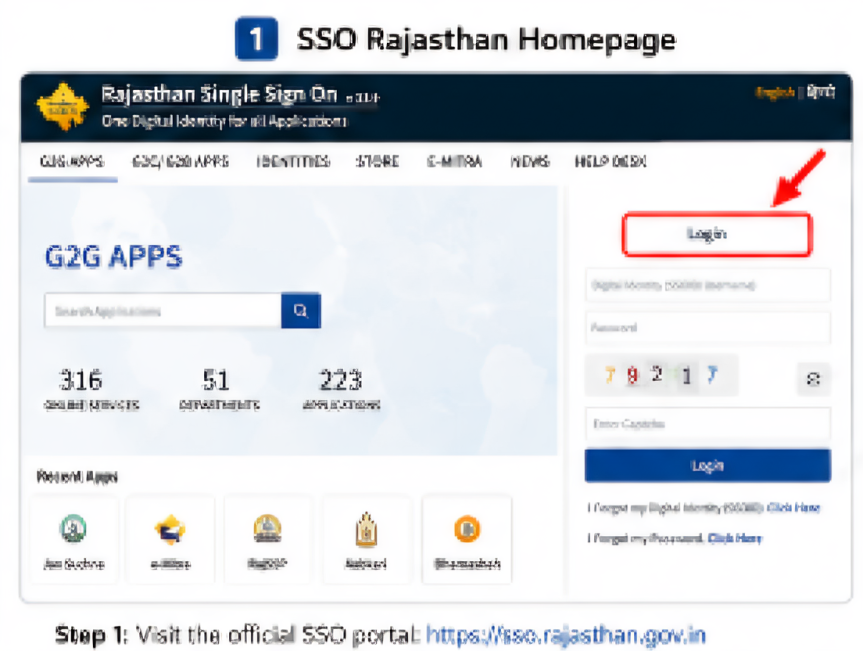
With the help of your Aadhaar card and registered mobile number, you can securely log in to the Rajasthan SSO portal and use various online services.
This guide explains the complete process of SSO login using Aadhaar card, required documents, common login problems, OTP verification issues, and important security tips.
Read Also: SSO ID Login Rajasthan 2026 Complete Guide
What is SSO Login Using Aadhaar Card?
Aadhaar-based SSO login is a secure authentication method provided by the Rajasthan SSO portal. Users can use their Aadhaar number linked with their SSO account to log in quickly without remembering multiple credentials.
This feature is especially useful for:
- Citizens of Rajasthan
- Students applying for scholarships
- Users accessing eMitra services
- Government scheme applicants
- Users facing username-related login issues
Benefits of Aadhaar Login in SSO Rajasthan
Using Aadhaar for SSO login offers several advantages:
Fast Login Process
Users can access their dashboard quickly using Aadhaar authentication.
Secure Verification
OTP verification adds an extra layer of security.
Easy Access to Government Services
You can access:
- eMitra services
- Scholarships
- Job applications
- Utility bill payments
- Jan Aadhaar services
No Need to Remember Multiple IDs
Aadhaar login simplifies account access.
Read Also: SSO ID Rajasthan Portal 2026 – Login, Registration & Government Services Guide
Requirements for SSO Aadhaar Login
Before logging in, make sure you have:
- Valid Aadhaar card
- Mobile number linked with Aadhaar
- Active internet connection
- Existing SSO ID account
- Updated browser (Chrome or Firefox recommended)
How to Login to SSO Using Aadhaar Card
Follow these simple steps carefully.
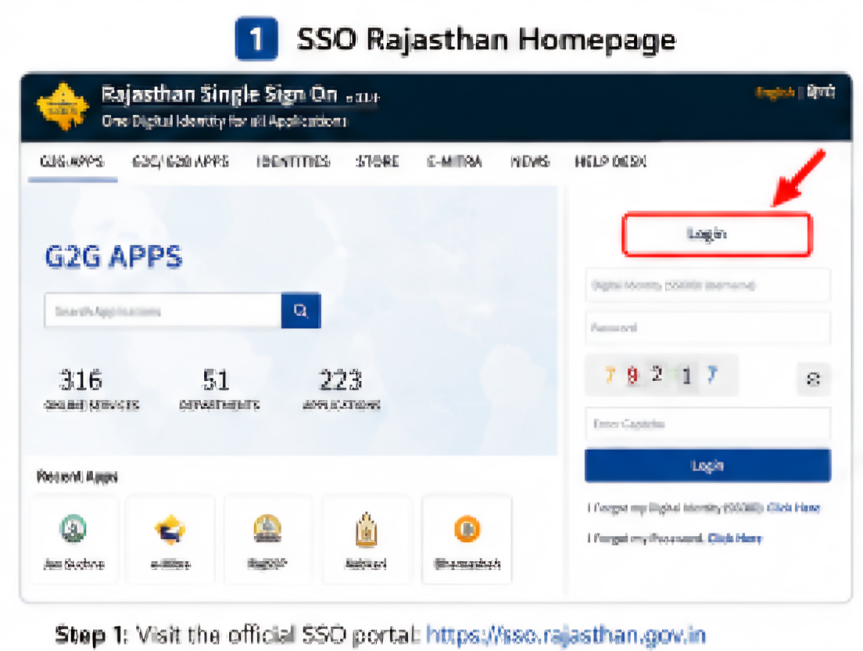
Visit Official SSO Portal
Open your browser and visit the official Rajasthan SSO portal:
https://sso.rajasthan.gov.in
Click on “Login”
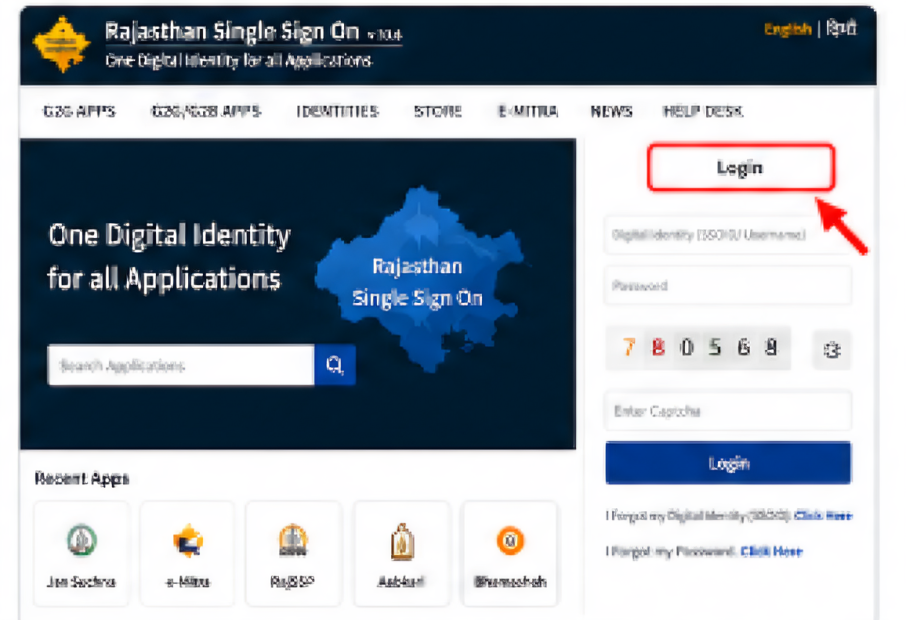
On the homepage, click the “Login” button.
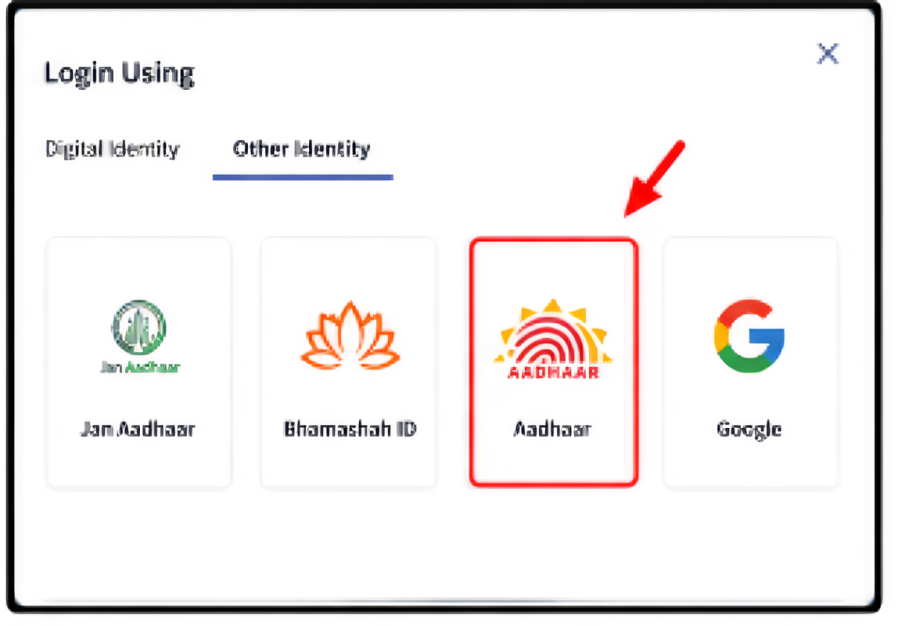
Select Aadhaar Login Option
Choose the Aadhaar option from available login methods.
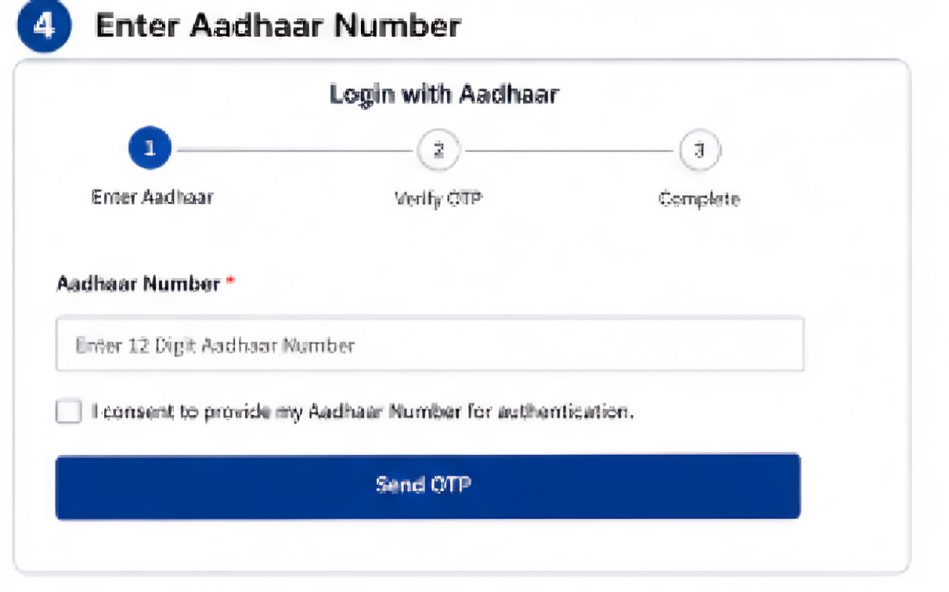
Enter Aadhaar Number
Enter your Aadhaar number carefully in the required field.
Verify OTP
An OTP will be sent to your Aadhaar-linked mobile number.
Enter the OTP correctly and click “Verify”.
Access Dashboard
After successful verification, your Rajasthan SSO dashboard will open.
You can now access:
- eMitra
- Government schemes
- Recruitment services
- Scholarship portals
- Utility services
Common SSO Aadhaar Login Problems & Solutions
Many users face issues while logging in. Here are the most common problems and their solutions.
Read Also: SSO ID Registration 2026 Process for Rajasthan SSO Portal Login
OTP Not Received
Possible Reasons:
- Mobile network issue
- Aadhaar mobile number not linked
- Server delay
Solutions:
- Wait for 2–5 minutes
- Check mobile signal
- Retry OTP request
- Verify Aadhaar-linked mobile number
Invalid Aadhaar Number Error
Solution:
- Recheck Aadhaar number
- Avoid spaces while typing
- Ensure Aadhaar is linked correctly
SSO Portal Not Opening
Solution:
- Clear browser cache
- Use Chrome or Firefox
- Check internet connection
- Try incognito mode
Aadhaar Verification Failed
Solution:
- Ensure your Aadhaar details are correct
- Retry after some time
- Contact SSO helpdesk if issue continues
Security Tips for Aadhaar Login
To keep your account secure:
- Never share OTP with anyone
- Avoid using public WiFi
- Use strong passwords
- Log out after completing work
- Keep your Aadhaar-linked mobile active
Services Available After Aadhaar Login
Once logged in, users can access many Rajasthan government services:
Citizen Services
- eMitra
- Utility bill payments
- Pension schemes
- Certificates
Education Services
- Scholarship applications
- Student portals
Employment Services
- Government recruitment
- Exam applications
Business Services
- GST-related services
- Licensing portals
SSO Aadhaar Login on Mobile
Users can also access SSO services through mobile browsers.
Recommended Browsers:
- Google Chrome
- Mozilla Firefox
For better experience:
- Keep browser updated
- Enable JavaScript
- Use stable internet connection
Important Things to Remember
- Aadhaar mobile number must remain active
- OTP verification is mandatory
- Only use official SSO portal
- Avoid third-party login websites
SSO Rajasthan Official Helpdesk
If you still face login problems, contact official support.
Toll-Free Number:
1800-180-6565
Official Website:
Conclusion
SSO login using Aadhaar card is one of the easiest and safest methods to access Rajasthan government online services. With Aadhaar authentication and OTP verification, users can securely log in and access multiple digital services through a single platform.
Always use the official Rajasthan SSO portal and keep your Aadhaar-linked mobile number active for smooth login access.
Disclaimer
We are not an official government website. This article is published for informational and educational purposes only to help users understand the SSO Rajasthan login process.
FAQs
Is OTP required for Aadhaar login?
Yes, OTP verification is required for security purposes.
What if my Aadhaar mobile number is inactive?
Can I use Aadhaar login on mobile?
Yes, the portal works on smartphones and tablets.
Is Aadhaar login secure?
Yes, OTP-based Aadhaar verification provides secure access.